ndustrial Panel PC for Smart Visual Factory
Smart Manufacturing Display Solutions: SOP & Andon Systems – Engineers' Most Critical Questions Answered
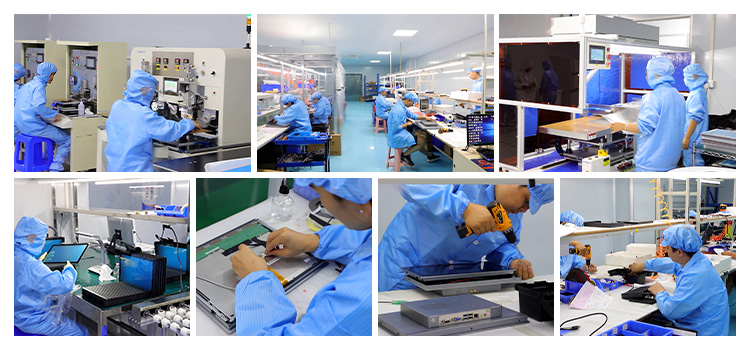
As an engineer or plant manager evaluating touch display solutions for your production floor, you likely have specific concerns about implementation, reliability, and real-world performance.
This guide addresses the most frequently asked questions about Standard Operating Procedure (SOP) displays and Andon systems, drawing from proven manufacturing practices and real factory deployments.
1. What Exactly Is the Difference Between an SOP Display and an Andon System?
This is one of the most common points of confusion among engineers evaluating production smart display solutions.
SOP (Standard Operating Procedure) Displays are digital workstations that show operators step-by-step instructions, visual guides, and process specifications at the point of use. They replace paper work instructions with dynamic, always-updated digital content . Think of them as the "how-to" guide for performing work correctly the first time.
Andon Systems, in contrast, are alert and escalation networks that signal when something goes wrong. Originally developed at Toyota as part of the Toyota Production System, Andon gives operators the authority to stop production and call for help when they detect an abnormality . The core principle is "jidoka" – automation with a human touch – where both machines and humans have the power to halt the line when quality or safety is compromised .
Key distinction: SOP displays answer "How do I do this job correctly?" while Andon systems answer "How do I escalate problems when something goes wrong?"
Many modern implementations combine both functions on the same hardware.
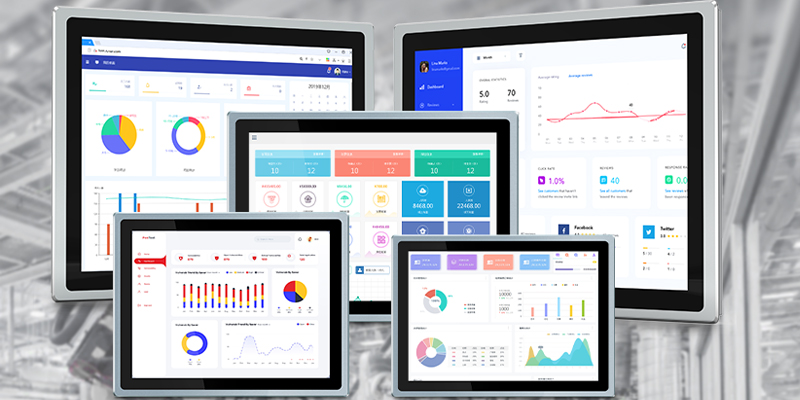
A ZHICHUN industrial panel PC can display SOP instructions, process data, and real-time performance metrics while also serving as an Andon trigger point for operators to signal issues .
2. What Hardware Specifications Do I Need for 24/7 Factory Operation?
Engineers consistently ask about reliability, especially in harsh manufacturing environments. Based on real-world case studies, here is what matters:
| 项目 | 说明 |
|---|---|
| 填写项目 | 填写说明 |
Industrial-Grade Construction: Your display hardware must withstand vibration, temperature fluctuations, dust, and electromagnetic interference (EMI) common on factory floors.
A plastic consumer tablet will fail where an aluminum-alloy industrial panel PC will thrive .
Key Specifications to Require:
- Processor: Intel Celeron (J6412) for basic display tasks; Core i3/i5 for data processing and advanced visualization
- Memory: 8GB RAM minimum for smooth operation with multiple applications
- Storage: 128GB SSD for fast boot times and vibration resistance
- I/O Ports: Multiple RS232/RS485 serial ports for connecting to PLCs, sensors, and legacy equipment; Ethernet ports for network integration
- Touch Screen: Capacitive touch with 10-point support – operators need to interact while wearing gloves
- Protection: IP65-rated front panel for dust and water resistance; wider temperature tolerance for non-climate-controlled areas
A practical example: A plastic products manufacturer deploying industrial panel PCs for SOP displays achieved 24/7 stable operation despite electromagnetic interference from nearby heavy machinery .
---
3. Why Do Most Andon System Implementations Fail?
This question touches on the biggest misconception about Andon systems. According to factory deployment data, approximately 70% of Andon implementations fail because they miss one critical element .
The 1 Failure Mode: Building a notification system without operator line-stop authority. If operators can signal problems but cannot stop the line, the system becomes "signaling, not Andon" . When problems are not resolved before production continues, operators stop using the system because nothing changes.
The Four Required Elements for Success :
Element What It Means Why It Matters
----------------------------------------
Line-Stop Authority Operators have the power to stop production Without this, Andon is just a status board; problems get ignored
Immediate Visual Signal Everyone can see the alert (stack lights, displays) Creates urgency and shared awareness
Defined Response Protocol Clear who responds, how fast, and what actions to take Eliminates confusion during emergencies
Resolution Loop Closure Problems are logged, analyzed, and prevented Stops recurring issues; enables continuous improvement
Factories that implement all four elements typically see response-to-resolution times reduced by 58% and unplanned downtime reduced by 34% within the first quarter of deployment .
4. How Fast Should Response Times Be?
Engineers managing production lines need specific benchmarks, not vague guidelines. Here are industry-standard targets :
Metric Target Why It Matters
--------------------------------
Detection Time <10 seconds From problem occurrence to Andon activation
Response Time <30 seconds From Andon activation to first responder arrival
Resolution Time <5 minutes for routine problems From responder arrival to problem resolution
A well-configured digital Andon system typically achieves an average response time of 4 minutes, compared to 22 minutes with traditional stack-light-only systems . This structural difference in response time is what separates high-performing plants from average ones.
Escalation Protocol Example :
- Operator acknowledgment within 90 seconds
- Team leader response within 3 minutes if unacknowledged
- Supervisor notification at 7 minutes if still unresolved
5. Can I Integrate SOP Displays with Existing MES, ERP, and PLC Systems?
Yes – this is where modern digital displays create their greatest value. According to factory deployment data, recurring line stoppage causes become identifiable from Andon event logs within the first 30 days of deployment when properly integrated with production systems .
Integration Capabilities to Look For:
PLC Connectivity: Your displays should connect via standard industrial protocols (Modbus, OPC UA, Ethernet/IP, Profinet) to read machine status, cycle times, and fault codes directly from PLCs .
MES/ERP Integration: Automated data capture eliminates manual reporting errors. Event logs should feed directly into MES for shift reporting and ERP for production planning. This integration enables 3x faster root cause identification compared to manual incident logging .
Real-World Example: An electronics manufacturer integrated their ZHICHUN panel PCs with both their PLC network (for machine data) and MES (for work order and quality tracking). The result was real-time production visibility that allowed supervisors to identify and address bottlenecks within minutes rather than hours.
6. What Data Should Be Displayed on the Production Floor?
This depends on your specific operation, but here are the essential metrics that engineers consistently prioritize:
For SOP Displays :
- Step-by-step work instructions with images/video
- Current work order details
- Quality checkpoints and inspection criteria
- Material specifications and component identification
- Safety warnings and PPE requirements
For Andon/Production Status Displays :
- Machine status (Running/Stopped/Idle/Maintenance) – color-coded
- Production target vs. actual output
- Downtime duration and reason code
- OEE (Overall Equipment Effectiveness) – calculated from Availability × Performance × Quality
- Shift performance metrics
- Active alerts and escalation status
Important Design Principle: Keep layouts simple with large fonts and consistent color coding (Green = Normal, Yellow = Caution, Red = Stop). Anyone walking the floor should understand the production picture within seconds .
7. How Do I Ensure Operator Adoption and Avoid "Signal Fatigue"?
This is fundamentally a cultural question, not a technical one. Even the best technology fails if operators don't trust or use it .
Common Pitfall: Treating Andon as an IT implementation rather than an operational governance tool. When screens are installed and staff are trained but behavior doesn't change, the system fails .
What Works:
Empower the Frontline: Toyota plants activate Andon dozens of times per shift per line – this appears alarmingly high, but the high frequency indicates the system is being used and problems are being surfaced . Zero activations usually means either perfect production (unlikely) or cultural failure to use the system.
Eliminate Penalty for Line Stops: Across hundreds of factories, fixing the cultural penalty for stopping production has the single largest impact on Andon system effectiveness – larger than any technical upgrade .
Provide Clear Protocols: Operators need to know:
- When to trigger different alert levels
- Who will respond
- What will happen after they pull the cord
- That their action is valued, not punished
Close the Loop: When operators see that their alerts lead to real fixes, trust builds. When nothing changes, trust erodes and the system is abandoned .
8. What Is the ROI for Implementing Digital SOP and Andon Displays?
Engineers and plant managers should expect measurable financial returns: